Skills and MCPs
Add browser testing, Superconductor Skills, and your own skills to a project.
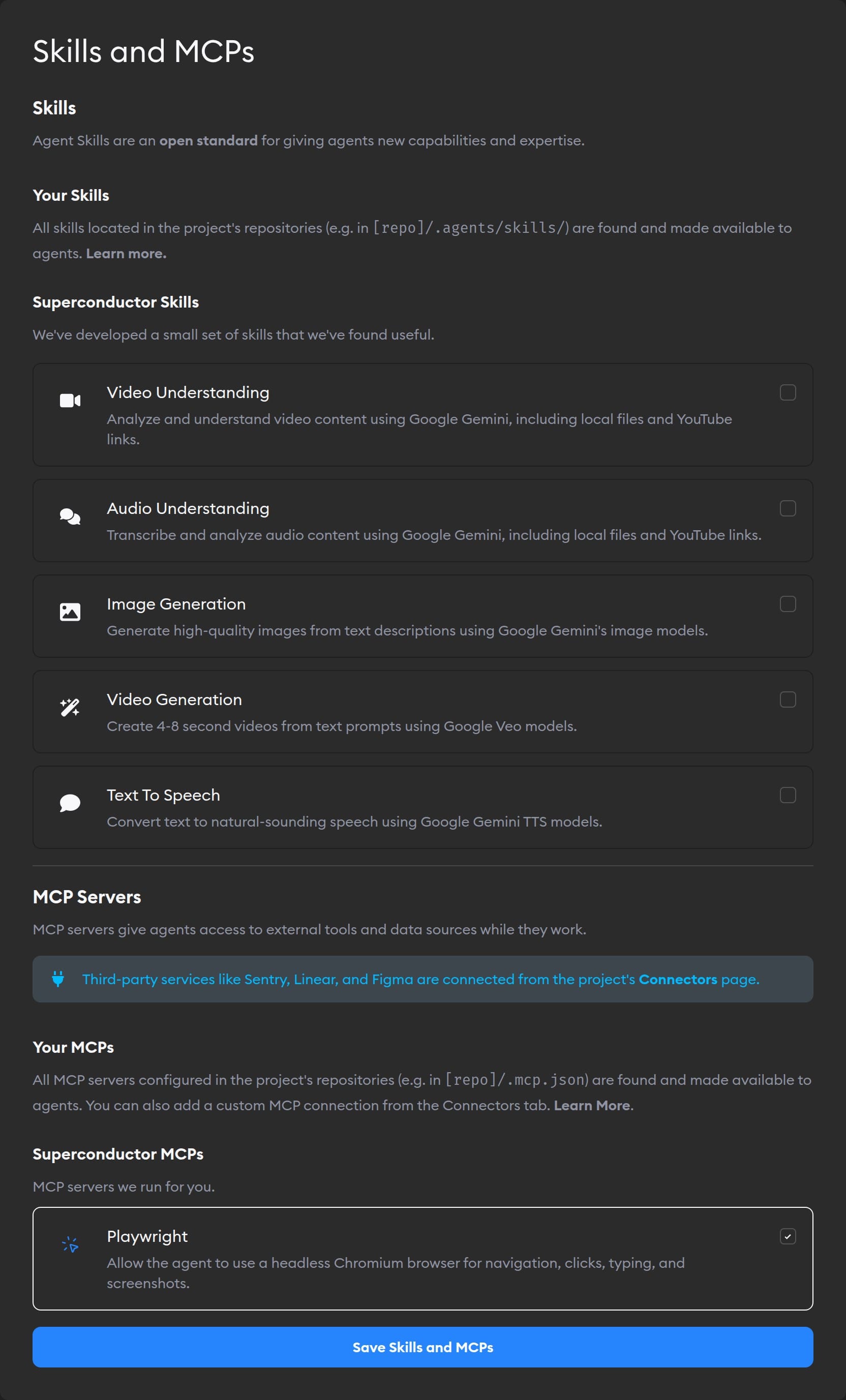
Skills teach agents how your team does a job. Your release checklist, your review standards, the steps for querying an internal service: write it once, and every agent follows it instead of guessing.
Some tools need no account and no key—you just switch them on for a project in Project Settings → Skills and MCPs. This page covers those.
Looking for Notion, Jira, Figma, Sentry, or another tool you sign into? Those are Connectors. You connect them once with a key from the Connectors tab in Workspace Settings, and choose which projects can use them.
What you can turn on in the Skills and MCPs tab
| What you want | Where to go |
|---|---|
| Let agents open pages and test your UI in a browser | Browser testing (Playwright) |
| Generate images, or analyze video and audio | Superconductor Skills |
| Give agents your team's own instructions and workflows | Custom skills from your repos |
Everything here applies per project: turn something on, or add it to your repos, and every agent working in that project can use it.
Skills
Skills follow an open standard, so the same skill works with any Superconductor agent.
Go to Project Settings → Skills and MCPs to turn on Superconductor Skills. You can generate images, analyze videos and audio, create short videos, and turn text into speech.
These skills need a Google Gemini API key in your workspace agent credentials or project agent credentials. They start turned off; enable the ones you want, and every agent in the project can use them.
You can also add custom skills from your repos—no setup screen needed, since Superconductor finds them in your code.
MCP servers
MCP servers are how agents use tools. You don't have to set them up yourself: Superconductor configures the right one behind every connector you connect, and behind each skill you turn on. Most MCP servers are turned on from the Connectors page rather than here—this tab only has the ones that need no account.
For browser testing, turn on Playwright MCP in Project Settings → Skills and MCPs. Agents can then open pages, test your UI, take screenshots, and check browser errors.
To point agents at an MCP server of your own, add it as a connector instead. Superconductor also picks up MCP servers configured in your repos.