
- Claude Code
- Codex
- Amp
- Factory Droid
- Grok Build
- OpenCode
- Pi
- Cursor
Superconductor is the multiplayer AI workspace for teams and coding agents.
Run many Claude/Codex (and more) agents in the cloud. Build together with your whole team in shared agent sessions. Ship faster with live app previews, automated QA, and guided code review.
Your whole team in one workspace, with shared agent sessions.
Engineers, PMs, designers, and growth all drive their own agents. Jump in on a teammate's run anytime — take the wheel, steer alongside them, or just review the output.
Multiplayer agent chat
Each agent session is accessible by everyone on the team. Work together in development, and when a PR lands, reviewers can ask the agent directly — no need to ping the developer who made the PR.
 SergeyReviewer
 IbrahimDeveloper
 OlgaDesigner
Shared access
One workspace to hold your team's tickets, credentials, and cloud sandboxes.
- #1Fix flaky checkout tests5 mins ago byIbrahimOpus 5
- #2Handle missing OpenAI API keys38 mins ago byOlgaGPT 5.5
- #3Investigate memory bloat on tickets1 hr ago by
 ArjunGLM 5.1
- Resources4 CPU8 GB RAM12 GB Disk
- Packagesnode v24Dockerpython v3.14
- Commands$npm install$bin/dev$bundle exec sidekiq
- SecretsDATABASE_URLSTRIPE_SECRET_KEY
- Claude CodeSubscription
- CodexSubscription
- Amp••••••••••••••••
- OpenCode••••••••••••••••
- Pi••••••••••••••••
Review bottlenecks unblocked.
Effectively review agent work even before opening the diff.
Artifacts
Quickly audit agent work with inline screenshots and video.
Live previews
Flip between implementations and inspect the app, chat, and diff from one place.
Guided code review
Superconductor walks you through the code in a logical order with inline review comments.

Recommendations
Agents recommend the best implementation before you pick one.

Superconductor lives where your team already works.
Launch agents, chat, and review results from desktop, Slack, GitHub, Linear, and mobile — completely interchangeably, with live previews everywhere.
Slack
Checkout breaks when a coupon expires during payment.

Looks like we trust the stale discount on submit.
@Superconductor can you fix this?
The best context for your agents is where your team already hashed out the problem.
GitHub
@Superconductor can you clarify why splash_header owns this header switch?
File tickets straight from issues and chat with agents right in PR comments.
Mobile
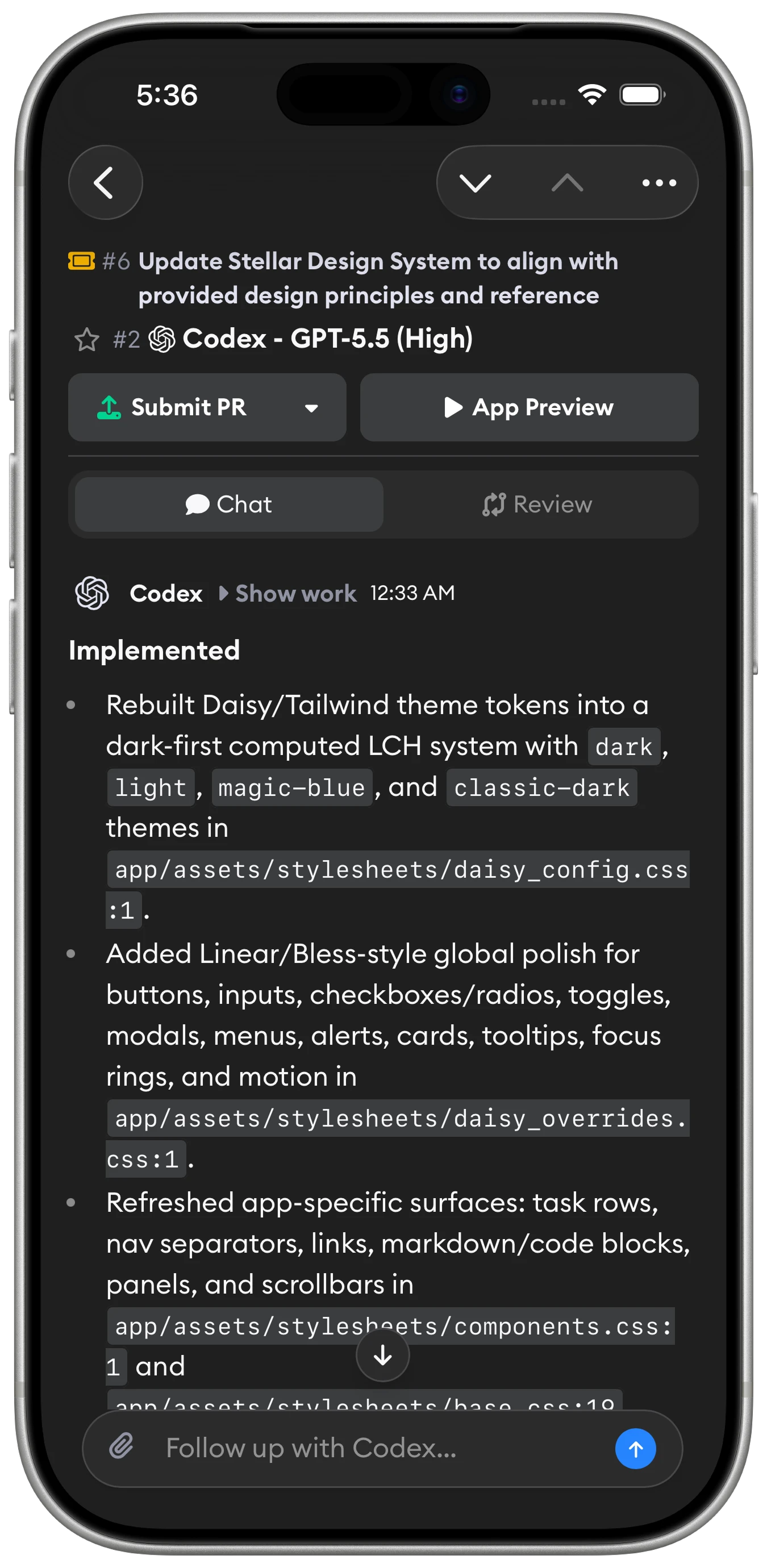
Your agents ship 24/7 — kick off a ticket or review a PR from the couch, on a run, or while walking the dog.
Production-grade infrastructure your team can trust.
Cloud sandboxes that match your local dev setup, with strict network policies and snapshots that boot in seconds — so your team can run many agents at once without babysitting infrastructure.
Snapshots built fast
From launching an agent to running tests and seeing a live app preview: about 30 seconds. Launch many agents at once, even on the same ticket — they're all ready at roughly the same time.
apt-get update
apt-get install -y redis gnupg lsb-release
curl -o /usr/share/postgresql-common/pgdg/apt.postgresql.org.asc \
  https://www.postgresql.org/media/keys/ACCC4CF8.asc
bundle install
pgrep postgres || sudo -u postgres pg_ctl -D /var/lib/postgresql/data start
redis-server > /dev/null
bundle exec sidekiq &
bin/dev -D
Network sandboxing
Agents run with strict network policies. Choose exactly what they can reach.
- https://github.com
- https://api.openai.com
- https://registry.npmjs.org
- https://paste.example.com
- https://metadata.internal
- https://unknown-cdn.dev
Track your team’s usage
See what every agent run costs across your team, and whether that spend is turning into shipped code.
Bring any stack
Any language or framework, including Docker. Reproduce your local dev environment with setup commands.


Automatically turn user feedback and team meetings into shipped code.
Superconductor listens to customer emails and meeting transcripts, creates tickets, and spins up agents to write code. By the time you see the email or finish the meeting, the feature is ready for review.

Forward any email, and a coding agent will analyze it, create or link it to tickets, and draft a reply.

Meetings
Add Superconductor to your call, and it will answer your questions and quickly implement feature ideas.

Benchmark agents on your own codebase.
Not sure which agent is best for your project? Define your own benchmark using real pull requests your team is proud of, then compare quality, cost, and speed across agents — all in one view.
Learn moreSelect exemplary PRs
Pick the pull requests your team is most proud of as the quality bar.
Compare quality vs cost for your codebase
See which agent delivers the best results at the right price point — on your actual code.
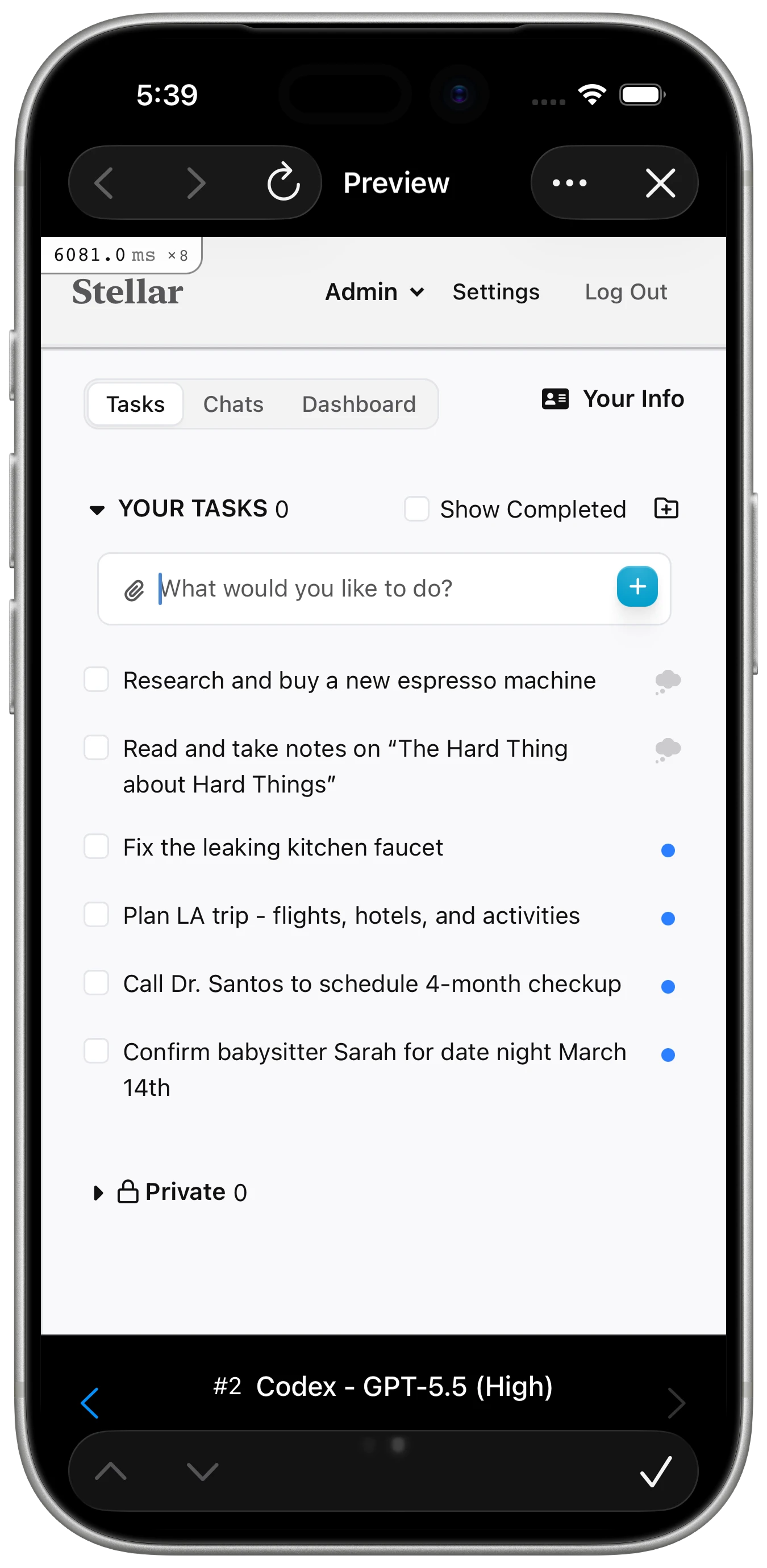
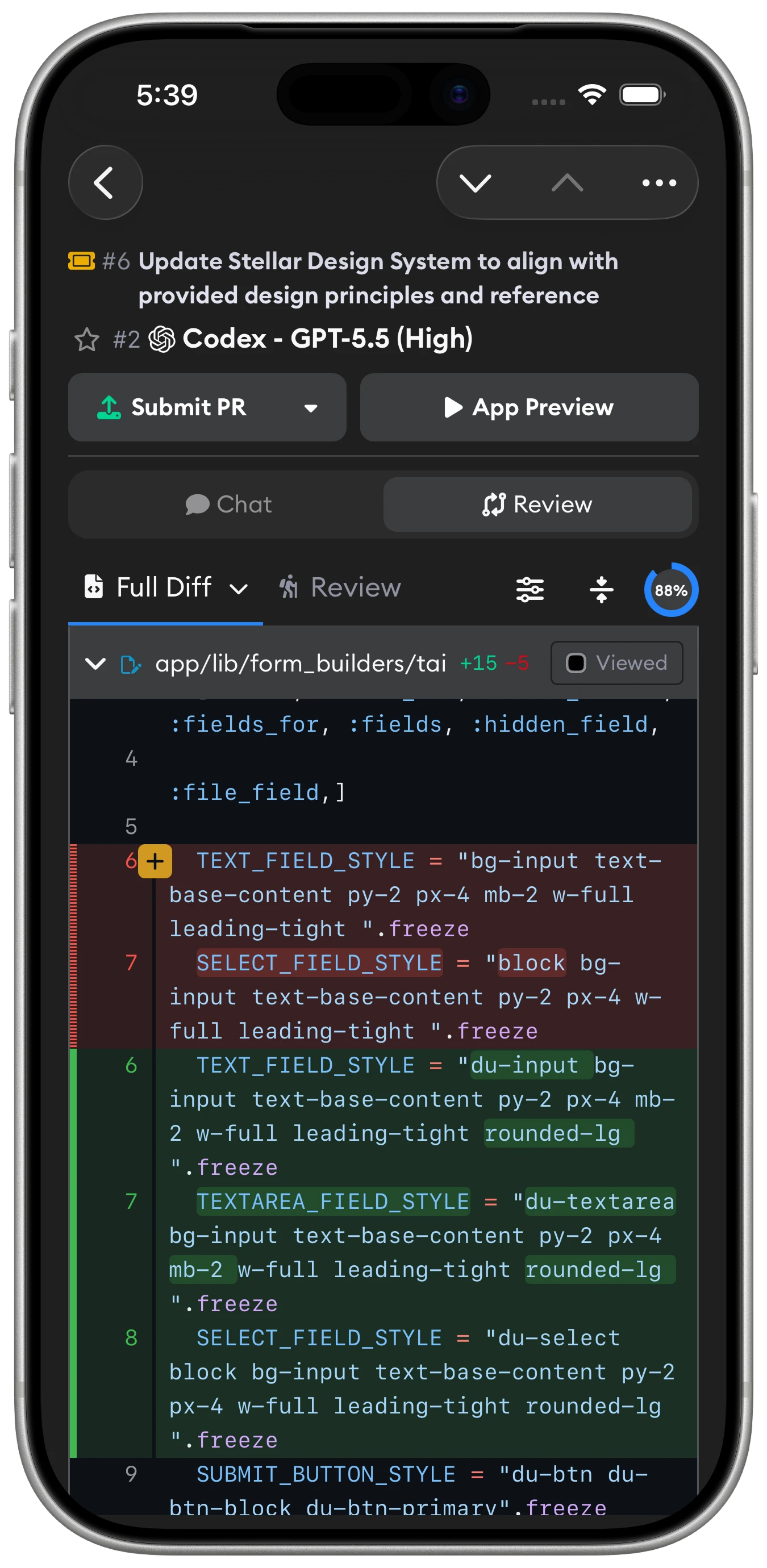
Full desktop parity on iOS.
Launch agents, steer runs, and review PRs from your phone.
Common questions.
How do I get started?
First, sign up for an account. Then connect GitHub and create your first project. Bring your existing coding agent plans or API keys, and you can try out Superconductor with a variety of agents right away.
Which coding agents are supported? Do I need my own API keys?
Superconductor supports Claude Code, Codex, OpenCode, Pi, Factory Droid, Grok Build, Amp, and Cursor. Mix and match: use your Claude Pro, Max, or Team plan, your ChatGPT subscription, your SuperGrok plan, or your own API keys.
How many coding agents can I run at once?
There's no limit! You can run as many as you like. We encourage you to run as many implementations as you find useful. Each implementation gets its own isolated workspace to prevent conflicts.
How do live previews work?
Interactively test your app with every change your agent makes, just like you can locally. You can even test directly on your phone with our mobile app. Every implementation runs in its own isolated cloud environment.
More specifically, when your project has a development environment and HTTP service configured, Superconductor starts your app, exposes it over HTTPS, and embeds it in the preview pane. You can also open the preview in a new tab and use the terminal in the same environment.
How is my code secured? How does network sandboxing work?
Superconductor keeps every agent in an isolated workspace with encrypted credentials, configurable network access, and team-level permissions, so you can run AI on real code without opening more access than the task needs. We never store or train on your code.
How do I control and monitor spend?
You can see estimated API spend on each implementation card when an API key is used. If you connect a Claude or ChatGPT plan, Superconductor shows 5-hour and 7-day usage stats next to the agent instead. Connected Claude and ChatGPT plans respect their provider rate limits, so implementations pause when those limits are reached.
Can Superconductor agents access MCPs, skills, and external tools?
Yes. Superconductor supports skills and MCP servers to extend what agents can do. You can enable a variety of Connectors like Jira, Notion, Sentry, and more, or connect your own tools via MCP. Or, define custom skills and MCP servers in your repos so agents get the same tools automatically.
How do you review agent-generated code for quality at scale?
Every implementation includes a full diff so you can inspect exactly what changed. Guided Review can analyze the implementation, organize changed files in a useful review order, add summaries, and place inline comments on important changes so reviewers can focus on the parts that matter. If you run multiple agents on the same ticket, Superconductor's Implementation Recommendations will recommend the best implementation to look at first.
Can I use Superconductor on mobile?
Yes — Superconductor has native iOS and iPad apps, plus Android support through PWA. You can file tickets, review previews, and chat with agents on the go.
Is there a desktop app?
Yes — Superconductor has a native desktop app for macOS and Linux, with Windows coming soon. It runs the full app in its own window, with picture-in-picture previews and automatic updates.
How do I get help if I have more questions?
We are happy to help! Please email help@superconductor.com or use the chat button on this page, and we will do our best to answer your questions.
Agentic engineering is a team sport.
Ship faster — together. The multiplayer workspace where your team and your agents build and review in parallel.